Most maintenance logs are blank pages you fill in by hand. This one does the remembering for you.
What the Lawn Mower & Equipment Maintenance Log does
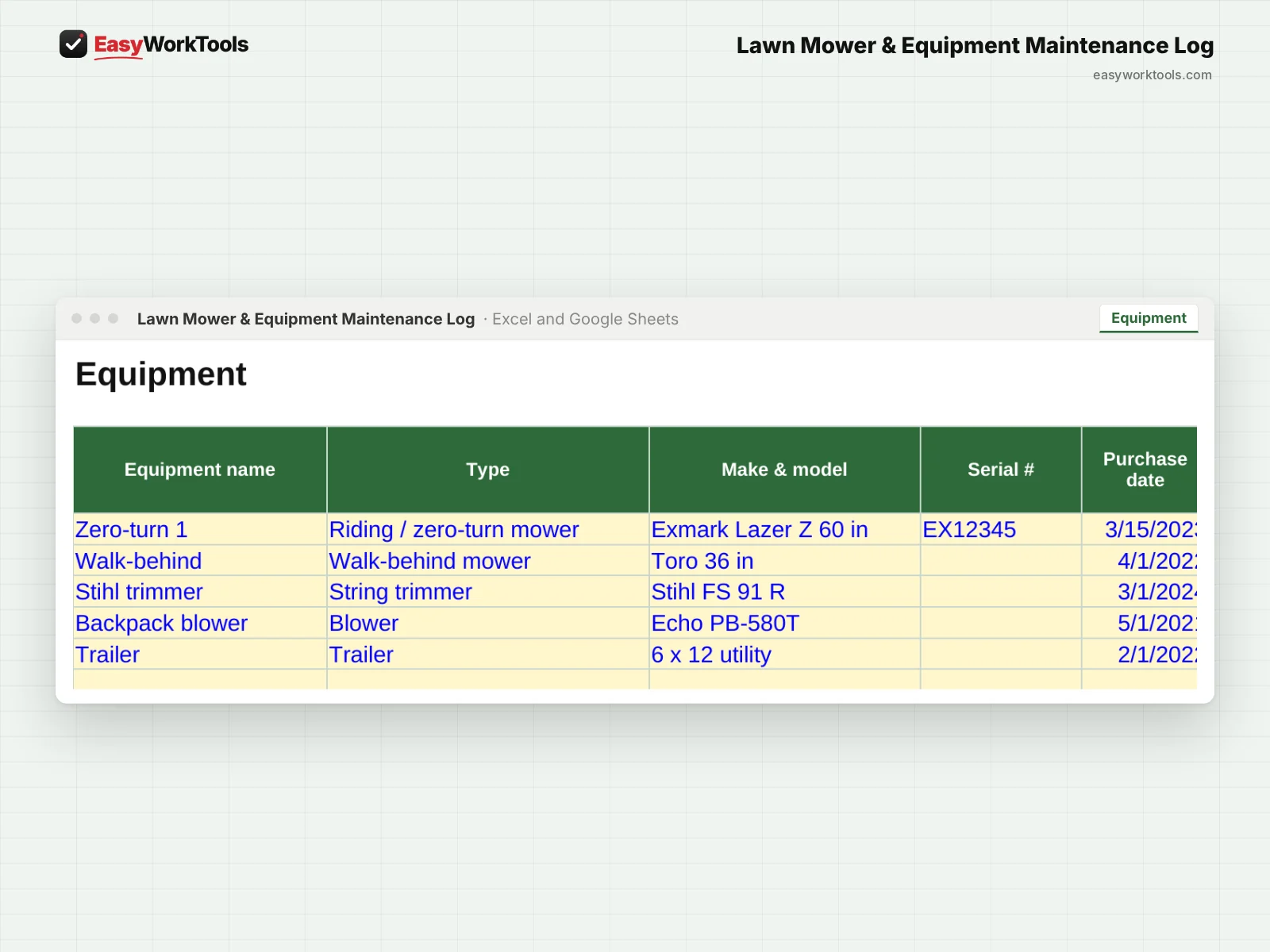
- List every machine: mowers, trimmers, blowers, edgers, trailers, even the truck
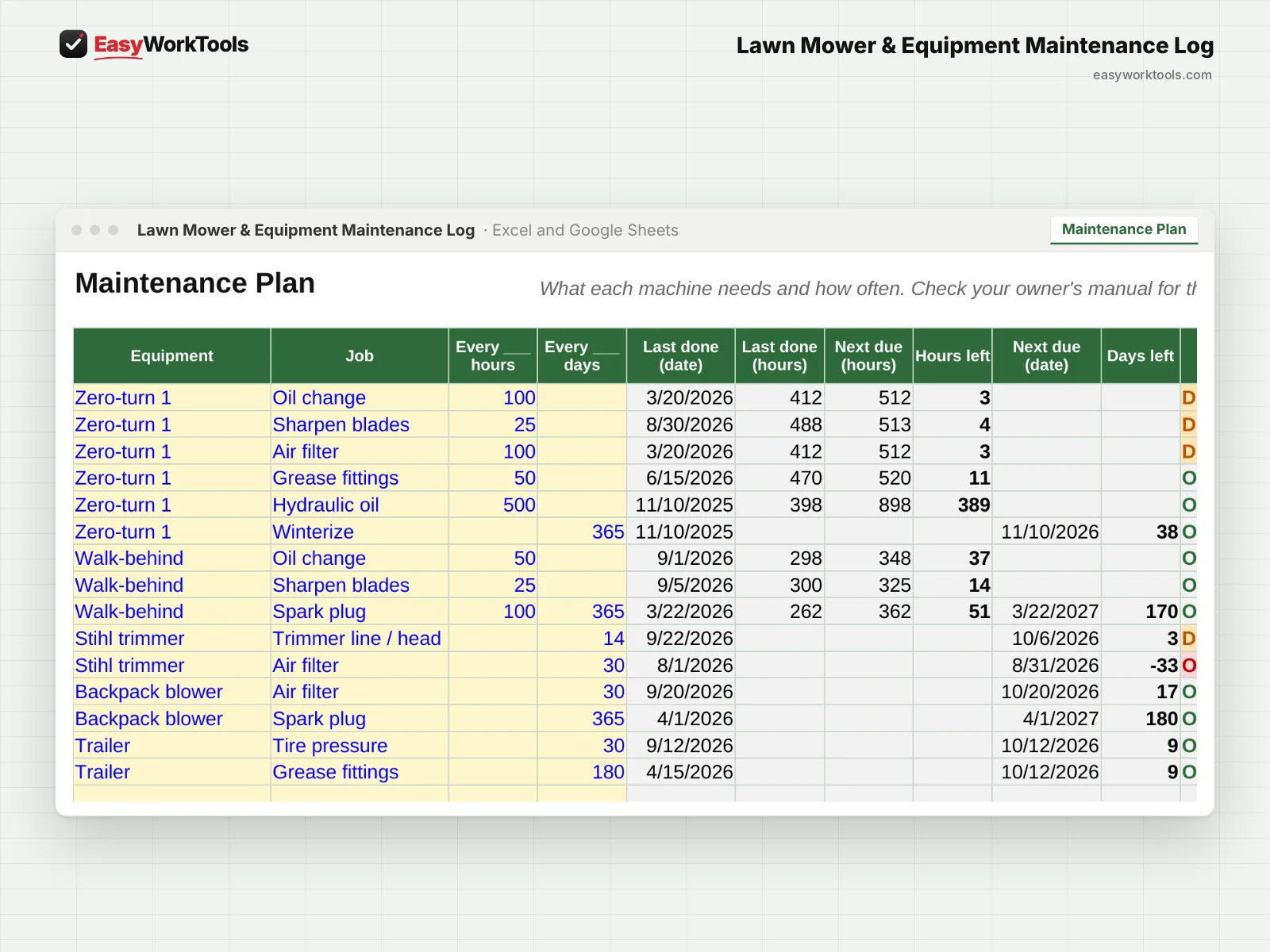
- Set each job by hours, by days, or both, like an oil change every 100 hours or spark plugs once a year
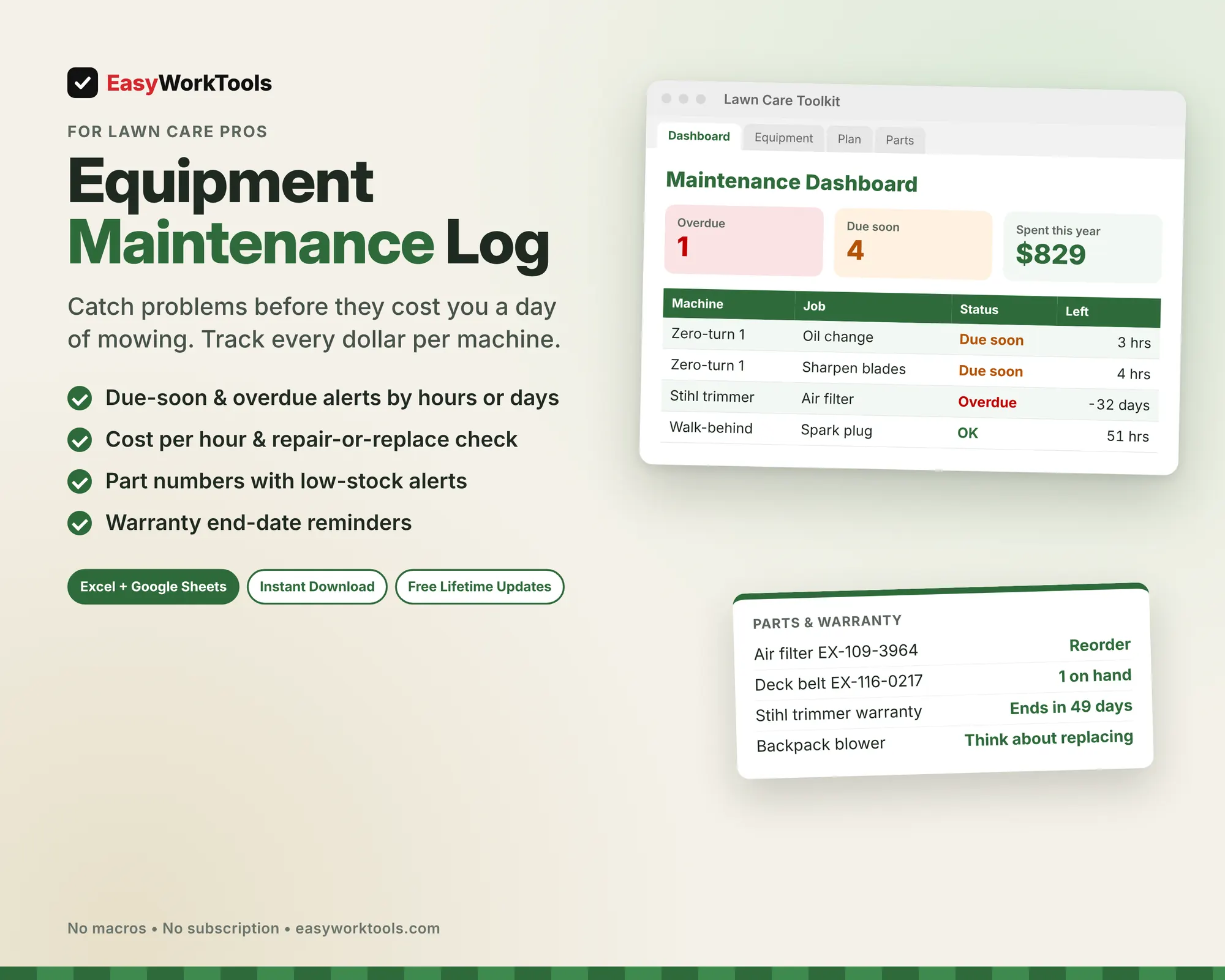
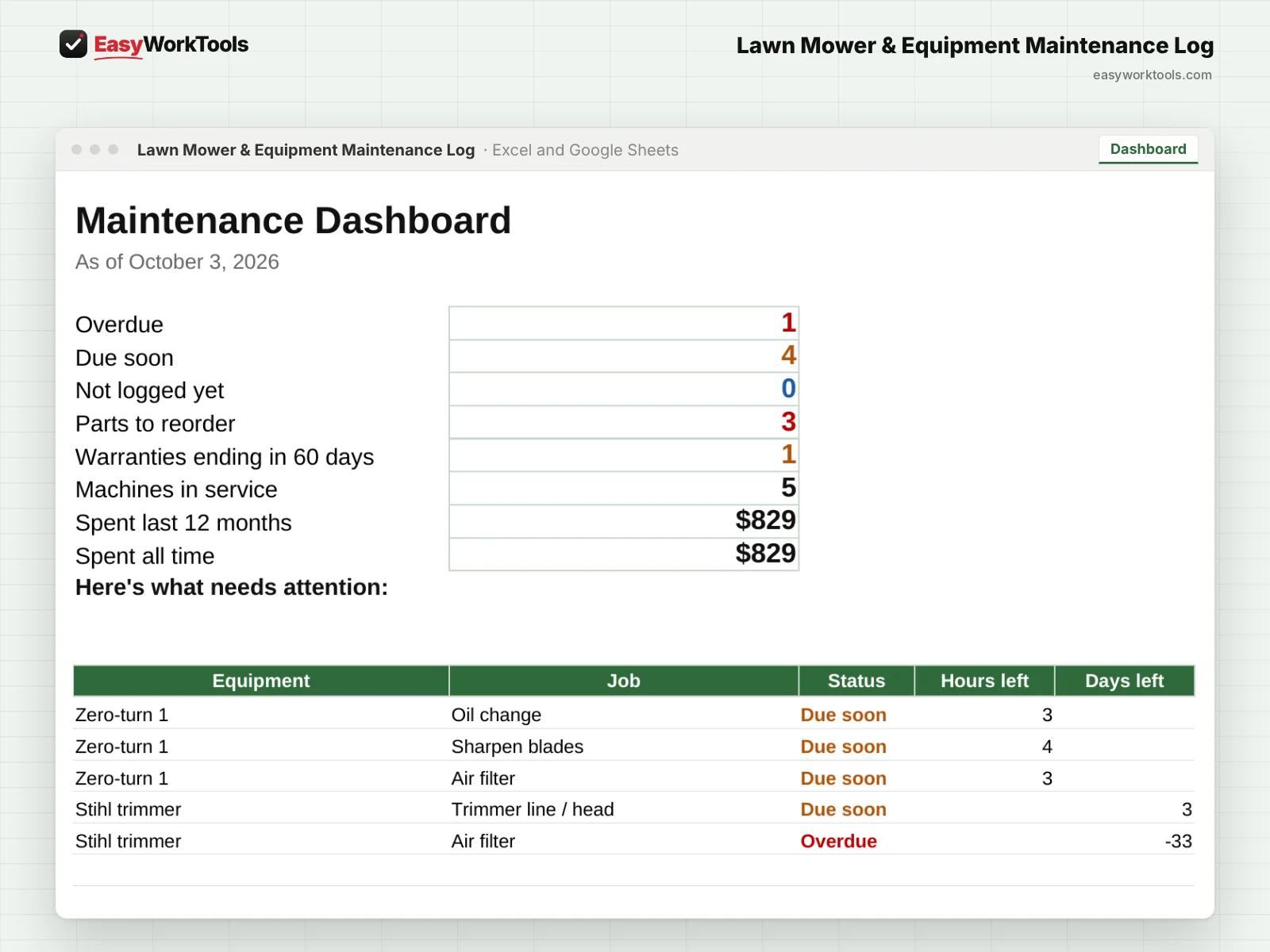
- Dashboard shows what's overdue, what's due soon, and what's never been logged
- Tracks all-time costs, the last 12 months, and cost per hour for each machine
- Repair-or-replace warning when a year of repairs gets too close to the price of a new one
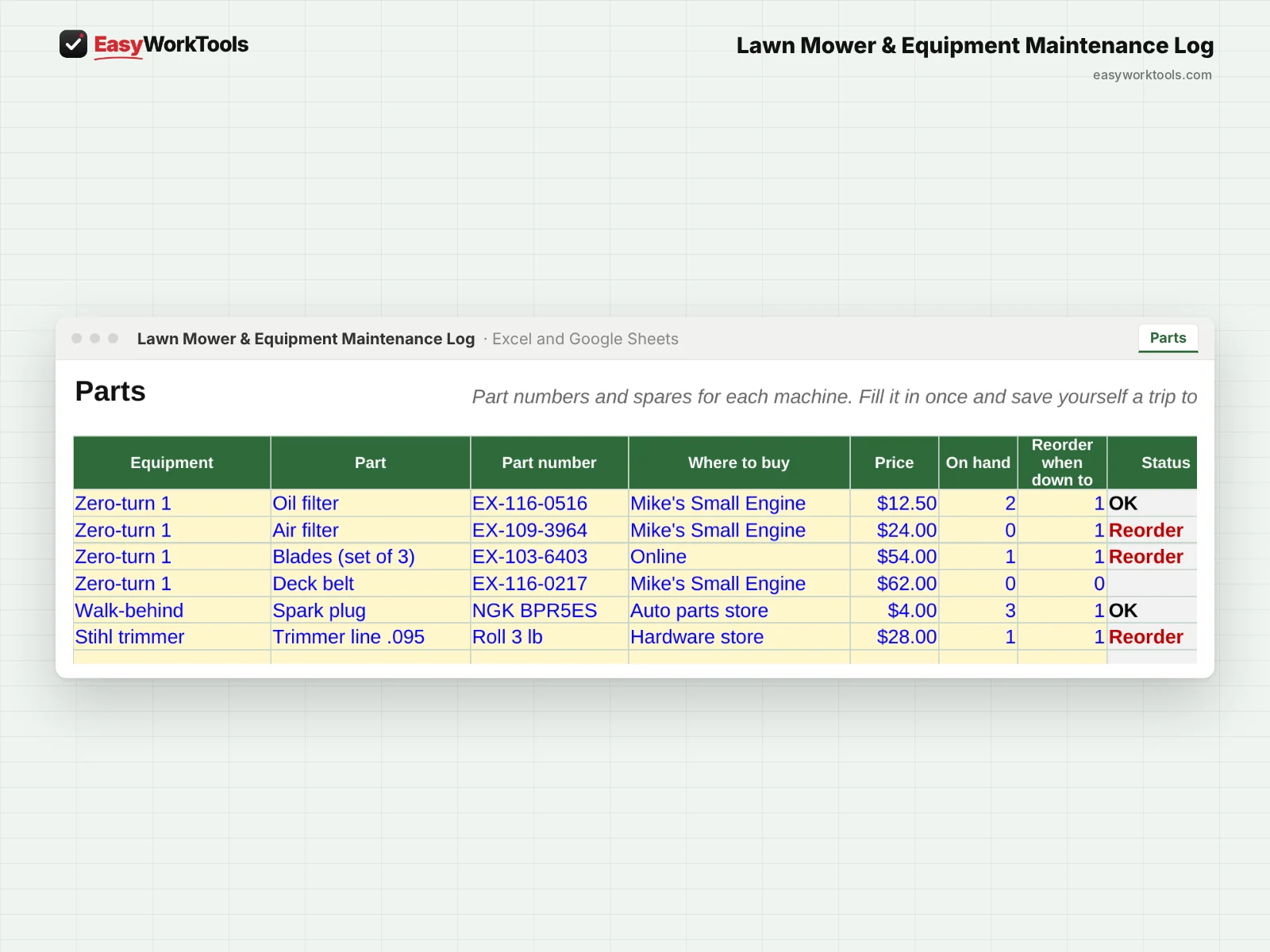
- Parts tab with part numbers, where to buy, and low-stock alerts
- Warranty end dates with a heads-up 60 days before they run out
- The log checks itself for missing hour readings, missing dates, and typos
What's inside
7 tabs: Start Here, Dashboard, Equipment, Maintenance Plan, Log, Parts, Settings.
Who it's for
Anyone who depends on their equipment to get paid: one mower and a trimmer, or a full fleet across several crews.
What you get
Two spreadsheet files (.xlsx): one filled with examples so you can see exactly how it works, and a blank copy ready for your business. For Microsoft Excel and Google Sheets. No macros, no subscription. Tested against 24 real-world situations.
The formulas are locked, so a stray keystroke can't break them. You only type in the yellow cells.
Questions
My trimmer doesn't have an hour meter. Does that work?
Yes. Leave hours blank and set the job by days instead.
Can I add my own maintenance jobs?
Yes. Every list is editable.
Is there a blank version?
Yes. Every download has two files: one filled with examples so you can see how everything works, and a blank copy ready for your own business. Your rates and settings come filled in as a starting point, so change them to match yours.
Can I change the formulas?
The gray formula cells are locked so they can't be erased by accident. If you really want to change one, open Review in Excel and choose Unprotect Sheet. There's no password.
Does it work in Google Sheets?
Yes. Upload the file to Google Drive and open it with Google Sheets. Everything works the same.
How do Free Lifetime Updates work?
Whenever we release a new version, you can download it free from your account, forever. We'll email you when there's something new.