Handyman work comes back to the same houses. The client who liked the faucet job has five more things on the list. This tracker takes every job from Lead to Done, tells you who to call today, keeps deposits and balances straight, and saves each home's parts and sizes so the next visit is quick.
Curious what it looks like inside? Here's how follow-ups and home details work, step by step. Most owners use it alongside our handyman quote calculator.
What the Handyman Client & Job Tracker does
- Jobs from Lead to Estimate sent, Won, Scheduled, In progress, Done or Lost
- Follow up today and Overdue reminders for every open estimate
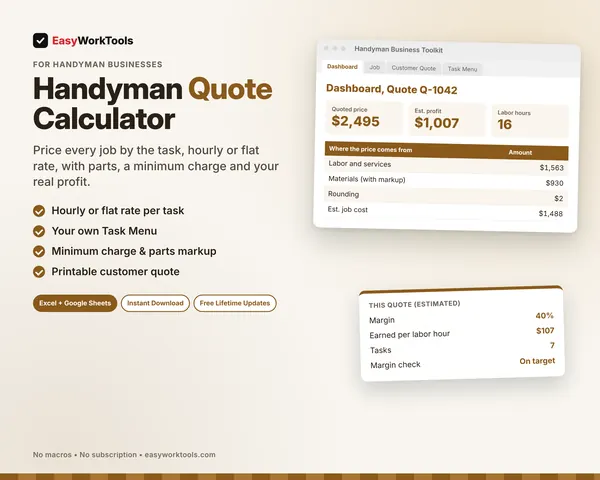
- Quoted price and estimated job cost, with actual profit when you add real hours and costs
- Deposits and payments with balance due for every job
- Warranty end dates and check-in call reminders
- Home Details by client: faucet models, filter sizes, paint colors, door hardware and more
- Dashboard with open estimates, win rate, revenue booked, balance outstanding and lead sources
What's inside
9 tabs: Start Here, Dashboard, Jobs, Clients, Payments, Home Details, Home Lookup, Lists, Settings.
Who it's for
Handyman businesses with lots of repeat clients who want every estimate followed up and every home's details on file.
What you get
Two spreadsheet files (.xlsx): one filled with examples so you can see exactly how it works, and a blank copy ready for your business. For Microsoft Excel and Google Sheets. No macros, no subscription.
The formulas are locked, so a stray keystroke can't break them. You only type in the yellow cells.
What you need to use it
- Microsoft Excel 2010 or newer, on Windows or Mac, including Microsoft 365
- Or Google Sheets in any web browser, free with a Google account
- A laptop or desktop works best for setup. Phones and tablets are fine for checking numbers and quick entries.
- No macros, add-ins or internet connection needed once it's downloaded. Apple Numbers isn't supported.
Questions
Can I see which lead sources pay off?
Yes. The Dashboard shows leads, jobs won, win rate and revenue booked for each source.
What goes on Home Details?
Anything you'd want next time: model numbers, part numbers, sizes, colors and where you bought it. Home Lookup lists it all for one client.
Is there a blank version?
Yes. Every download has two files: one filled with examples so you can see how everything works, and a blank copy ready for your own business. Your rates and settings come filled in as a starting point, so change them to match yours.
Can I change the formulas?
The gray formula cells are locked so they can't be erased by accident. If you really want to change one, open Review in Excel and choose Unprotect Sheet. There's no password.
Does it work in Google Sheets?
Yes. Upload the file to Google Drive and open it with Google Sheets. The math works the same. Locks don't carry over, so just type in the yellow cells.
How do Free Lifetime Updates work?
Whenever we release a new version, you can download it free from your account, forever. We'll email you when there's something new.