An hourly rate you heard about online doesn't know your pay, your insurance or how much of your week is spent driving. This calculator prices each task hourly or flat rate from your own Task Menu, adds parts with your markup, tops up small jobs to your minimum, and shows your real job cost, profit and margin before you send the quote.
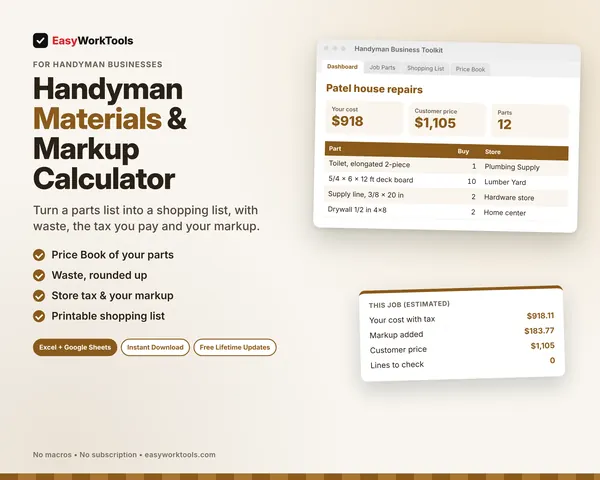
Every step is laid out before you buy, so you can see how a handyman job gets priced with screenshots from the real file. It also works hand in hand with our parts and markup calculator.
What the Handyman Quote Calculator does
- Up to 30 tasks per quote, each priced hourly or flat rate
- Your own Task Menu with typical hours and flat prices, filled in when you pick a task
- Parts at your cost with your markup, or the total from the Materials calculator
- Minimum charge, trip fee, sales tax on materials and price rounding
- Real job cost: labor, overhead and equipment per billable hour, parts and driving
- Profit, margin, earnings per labor hour and a target margin check
- Printable customer quote with each task, a good-until date and a signature line. Your costs never show.
What's inside
8 tabs: Start Here, Dashboard, Job, Customer Quote, Task Menu, Pricing Help, Lists, Settings.
Who it's for
Owner-run handyman businesses that want every quote to cover their time, their parts and their overhead, and leave a profit.
What you get
Two spreadsheet files (.xlsx): one filled with examples so you can see exactly how it works, and a blank copy ready for your business. For Microsoft Excel and Google Sheets. No macros, no subscription.
The formulas are locked, so a stray keystroke can't break them. You only type in the yellow cells.
What you need to use it
- Microsoft Excel 2010 or newer, on Windows or Mac, including Microsoft 365
- Or Google Sheets in any web browser, free with a Google account
- A laptop or desktop works best for setup. Phones and tablets are fine for checking numbers and quick entries.
- No macros, add-ins or internet connection needed once it's downloaded. Apple Numbers isn't supported.
Questions
Can I price some tasks flat and others hourly?
Yes. Each line picks Hourly or Flat, or uses what you set on the Task Menu.
Does a flat price still show if the job pays?
Yes. Flat lines use your typical hours for the job cost, so the margin check tells you if a flat price is too low.
Is there a blank version?
Yes. Every download has two files: one filled with examples so you can see how everything works, and a blank copy ready for your own business. Your rates and settings come filled in as a starting point, so change them to match yours.
Can I change the formulas?
The gray formula cells are locked so they can't be erased by accident. If you really want to change one, open Review in Excel and choose Unprotect Sheet. There's no password.
Does it work in Google Sheets?
Yes. Upload the file to Google Drive and open it with Google Sheets. The math works the same. Locks don't carry over, so just type in the yellow cells.
How do Free Lifetime Updates work?
Whenever we release a new version, you can download it free from your account, forever. We'll email you when there's something new.