
The six tools look and work the same, and each Dashboard has a Share box with numbers that use the exact same label in the other files. The maintenance reserve, your debt payments and your housing costs flow into one budget.
You can see every tab before you buy. Start with how budget vs actual works, then work through the rest.
What's in the Home and Money Toolkit


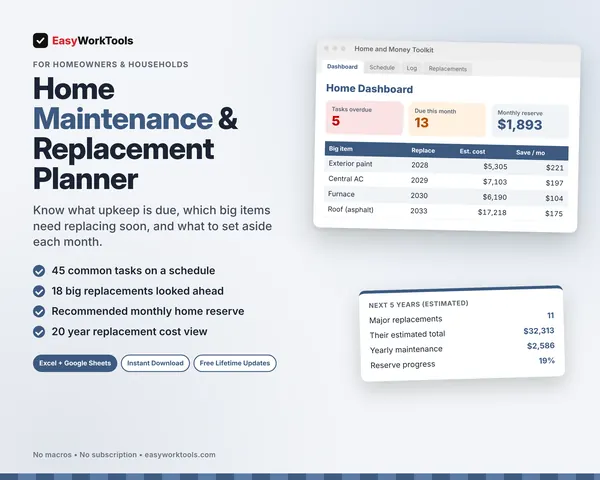


Who it's for
Households who want the whole picture at once: the monthly budget, the home, the mortgage, upkeep, projects and debt.
What you get
All six tools, each with two spreadsheet files (.xlsx): one filled with examples so you can see exactly how it works, and a blank copy ready for your household. For Microsoft Excel and Google Sheets. No macros, no subscription.
The formulas are locked, so a stray keystroke can't break them. You only type in the yellow cells.
What you need to use it
- Microsoft Excel 2010 or newer, on Windows or Mac, including Microsoft 365
- Or Google Sheets in any web browser, free with a Google account
- A laptop or desktop works best for setup. Phones and tablets are fine for checking numbers and quick entries.
- No macros, add-ins or internet connection needed once it's downloaded. Apple Numbers isn't supported.
Every result is an estimate, not financial advice. Rates, prices and lender rules vary, so check big decisions with your lender or a financial professional.
Questions
Do I need all six?
Each one works on its own. Together, the Share boxes let numbers move between them.
Are the files linked?
No. In this version you copy each number by hand. The labels match exactly, so it takes seconds.
Is there a blank version?
Yes. Every download has two files: one filled with examples so you can see how everything works, and a blank copy ready for your own household. Your rates and settings come filled in as a starting point, so change them to match yours.
Can I change the formulas?
The gray formula cells are locked so they can't be erased by accident. If you really want to change one, open Review in Excel and choose Unprotect Sheet. There's no password.
Does it work in Google Sheets?
Yes. Upload the file to Google Drive and open it with Google Sheets. The math works the same. Locks don't carry over, so just type in the yellow cells.
How do Free Lifetime Updates work?
Whenever we release a new version, you can download it free from your account, forever. We'll email you when there's something new.