Before you start
- Your download is a zip with two files. Double-click it to open it. Start with the one marked with examples to see how everything works, then use the blank one for your business.
- Open the file in Microsoft Excel. Using Google Sheets? Upload it to Google Drive, then open it with Google Sheets.
- Start on the Start Here tab. It has the same steps, right inside the file.
- The sample data is there so you can see how everything works. Type over it with your own when you're ready.
Here's how to go from a new file to a priced appointment. Setup takes about 15 minutes and you only do it once. After that, an appointment takes about a minute.
1Set up your rates (one time, about 15 minutes)
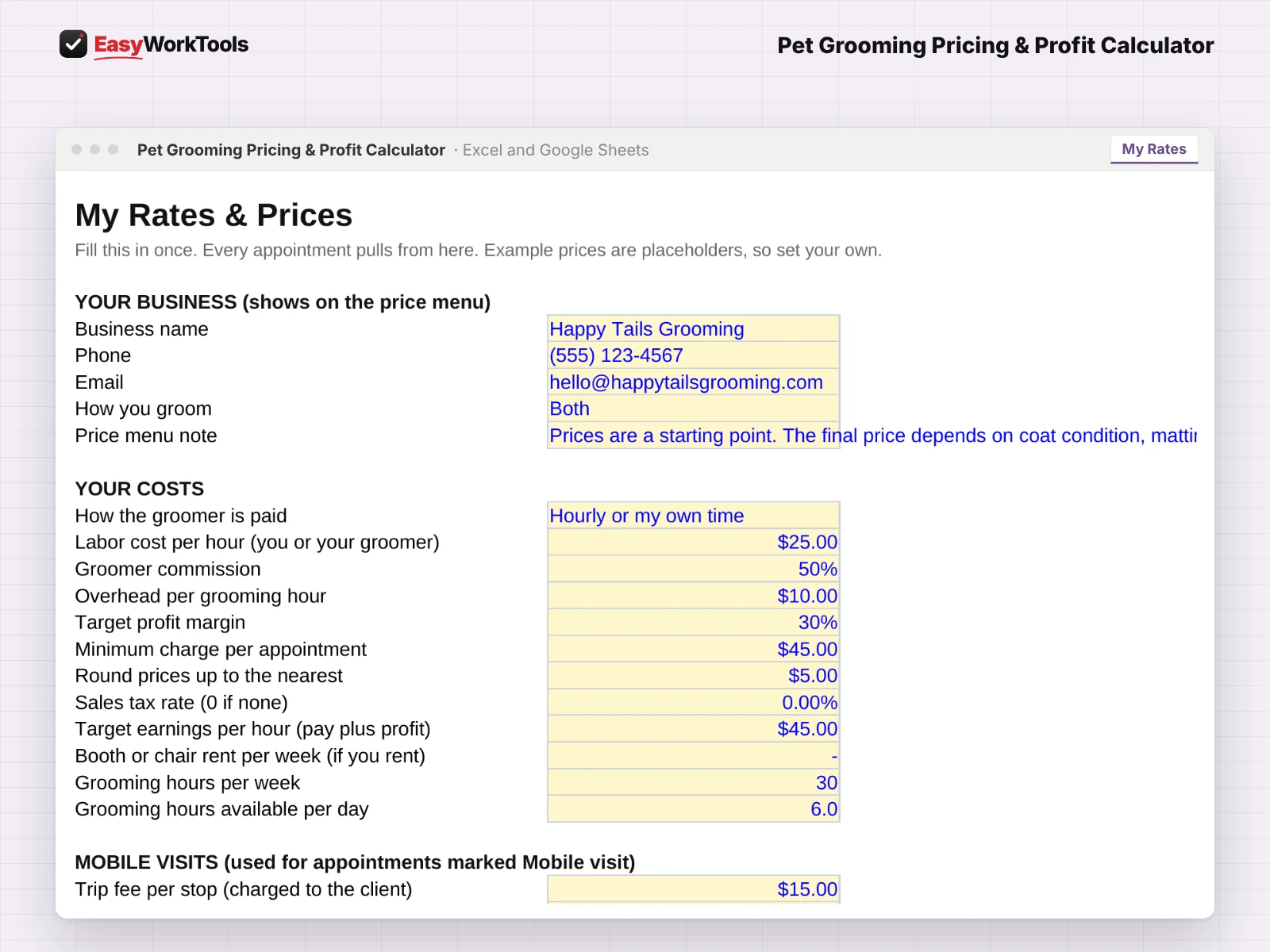
- Open My Rates. Enter your business name, phone and email for the price menu.
- Pick How you groom: Salon, Mobile or Both. Pick how groomers are paid: hourly, commission, or your own time. Add booth or chair rent if you pay it.
- Fill in your price grid: each service by size, from XS to XL and cats. A 0 means you don't offer that service for that size.
- Check the adjustments for coat, condition and behavior. They change both price and minutes. Every number is yours to change.
- Set your overhead, target margin and the dollars per hour you want to earn. Mobile groomers also add drive time and van costs.
2Price an appointment

- Open Appointment. Enter the client and pick Salon visit or Mobile visit.
- For each pet, pick size, coat, condition, behavior and the service. Up to 4 pets per appointment.
- Set any add-ons to Yes and enter how many pets get them.
- Read the top: price, profit and real dollars per hour. If you're under your target, the message shows the price that fixes it.
- The capacity box shows how many appointments like this fit in a day. Tell the client the suggested rebook weeks before they leave.
3Print your price menu
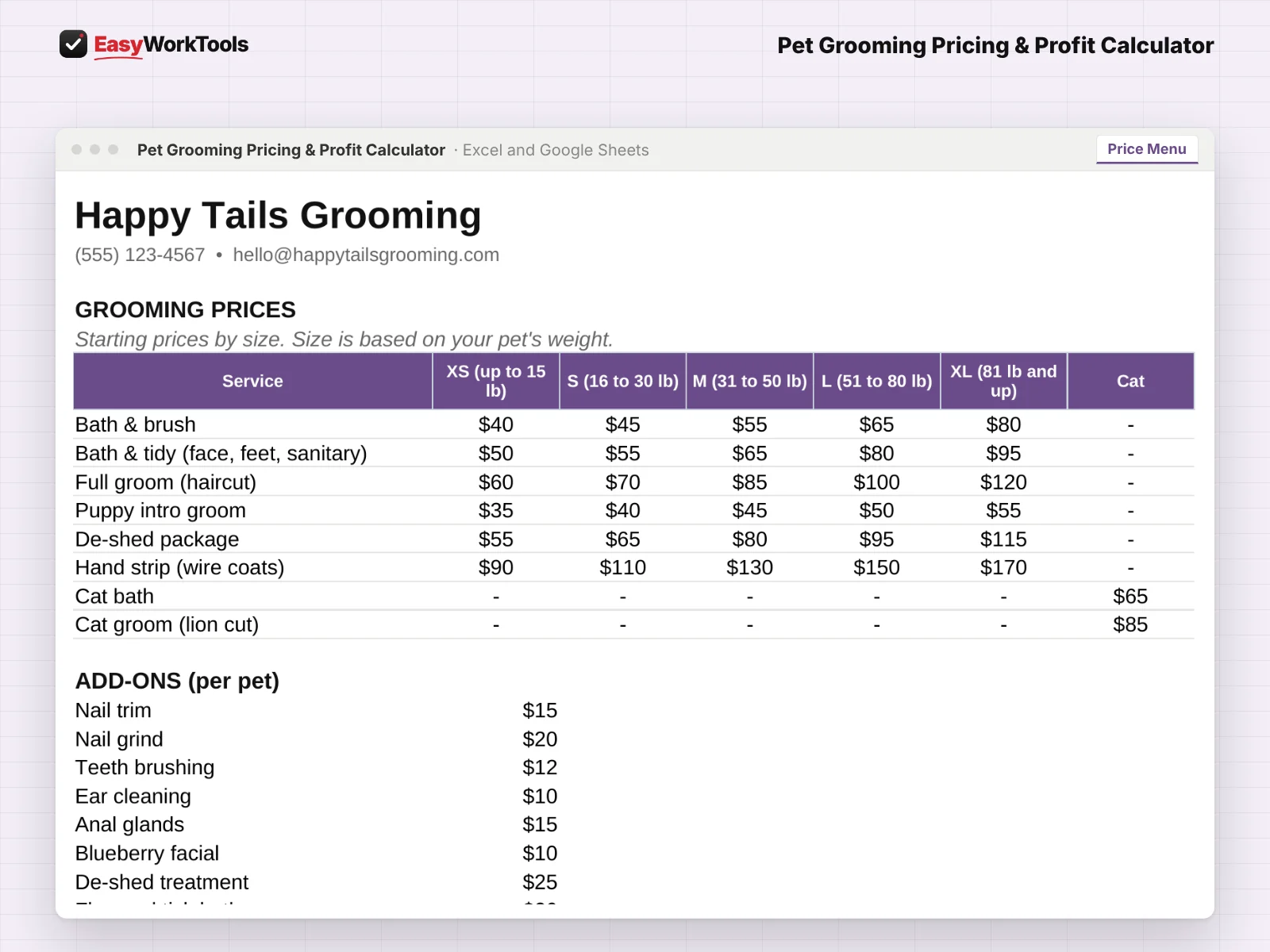
- Open Price Menu. It builds itself from your price grid and add-ons.
- Print it or save it as a PDF for your counter, van or website. Your costs never show.
What the messages mean
The tool watches your numbers and tells you in plain words when something needs a look. Here's every message you might see.
What to do: Charge at least the price shown, or adjust the service.
What to do: Use the price shown to hit your target.
What to do: Pick another service or size, or add a price to the grid.
What to do: Pick one in the Service column.
What to do: Pick one in the Size column.
What to do: Change the visit, or set How you groom to Both.
Using Google Sheets or your phone
- To use Google Sheets, upload the file to Google Drive, then right-click it and choose Open with, then Google Sheets.
- Dropdowns, colors, and every calculation work the same in Google Sheets.
- On a phone, the Google Sheets and Excel apps work for quick changes. For setup and printing, a computer is easier.
- Want to start fresh? Type over the yellow example cells. Don't delete rows, since other tabs may be reading them.
Ready when you are
That's the whole thing, nothing held back. See pricing and screenshots for this tool, or compare every pet grooming tool side by side. There's also a free calculator if you just need one number right now.
Common questions
Can I price cats?
Yes. Cats have their own column in the price grid.
What if I use commission?
Pick commission on My Rates and enter the rate. Profit is figured after the groomer's share.
Quick reference from the Start Here tab
Welcome
Pricing grooms by weight alone is how a matted doodle ends up costing you money. This calculator prices every pet by size, coat, condition and behavior, adds your add-ons, and shows your real profit per appointment and per hour, for salon and mobile groomers.
Setup (About 10 Minutes, One Time)
Open 'My Rates'. Add your business info and pick how you groom: Salon, Mobile or Both. Mobile visits add the trip fee, drive time, van fuel and generator costs.
Choose how the groomer is paid: hourly (or your own time) or commission. Then fill in your costs.
Set your prices and minutes in the price grid for each service and size. The examples are placeholders, not advice.
New to pricing? Read 'Pricing Help' first.
Pricing An Appointment (About 2 Minutes)
Open 'Appointment'. Enter the client, pick Salon visit or Mobile visit, and add up to 4 pets.
For each pet, pick size, coat, condition, behavior and the service. Price, time and supplies fill in on their own.
Set any add-ons to Yes and enter how many pets get them.
Check the boxes at the top. If you see a warning, the tool tells you what to charge instead.
Your Price Menu
'Price Menu' turns your price grid and policies into a clean menu for clients. Print it or save it as a PDF. Your costs never show on it.
Handy Tips
A 0 price in the grid means you don't offer that service for that size. The tool will flag it.
Coat, condition and behavior change both price and time, so a matted, nervous doodle is priced for the time it really takes. Every price, minute and adjustment is yours to change.
The capacity box shows how many appointments like this fit in your grooming day, and what that day would bring in.
Each pet gets a suggested rebook interval based on coat type. Tell the client before they leave.
Using Google Sheets? Upload this file to Google Drive and open it with Google Sheets. Everything works the same.
Your License
This file is licensed to one business, including everyone who works there. Please don't share, resell or post it online.
© 2026 EasyWorkTools. All rights reserved. easyworktools.com
Every tab
This file has 5 tabs, in this order:
- Start Here
- Appointment
- Price Menu
- My Rates
- Pricing Help