Before you start
- Your download is a zip with two files. Double-click it to open it. Start with the one marked with examples to see how everything works, then use the blank one for your business.
- Open the file in Microsoft Excel. Using Google Sheets? Upload it to Google Drive, then open it with Google Sheets.
- Start on the Start Here tab. It has the same steps, right inside the file.
- The sample data is there so you can see how everything works. Type over it with your own when you're ready.
Here's how to set up your properties once, then log each turnover in about a minute.
1Set up (one time, about 15 minutes)
- Open Settings. Add your hosts with their billing email, your cleaners, your rush fee and restock markup, and your business details for invoices.
- Open Restock. List what you put in each stay, like toilet paper and coffee, with cost and quantity.
2Add your properties
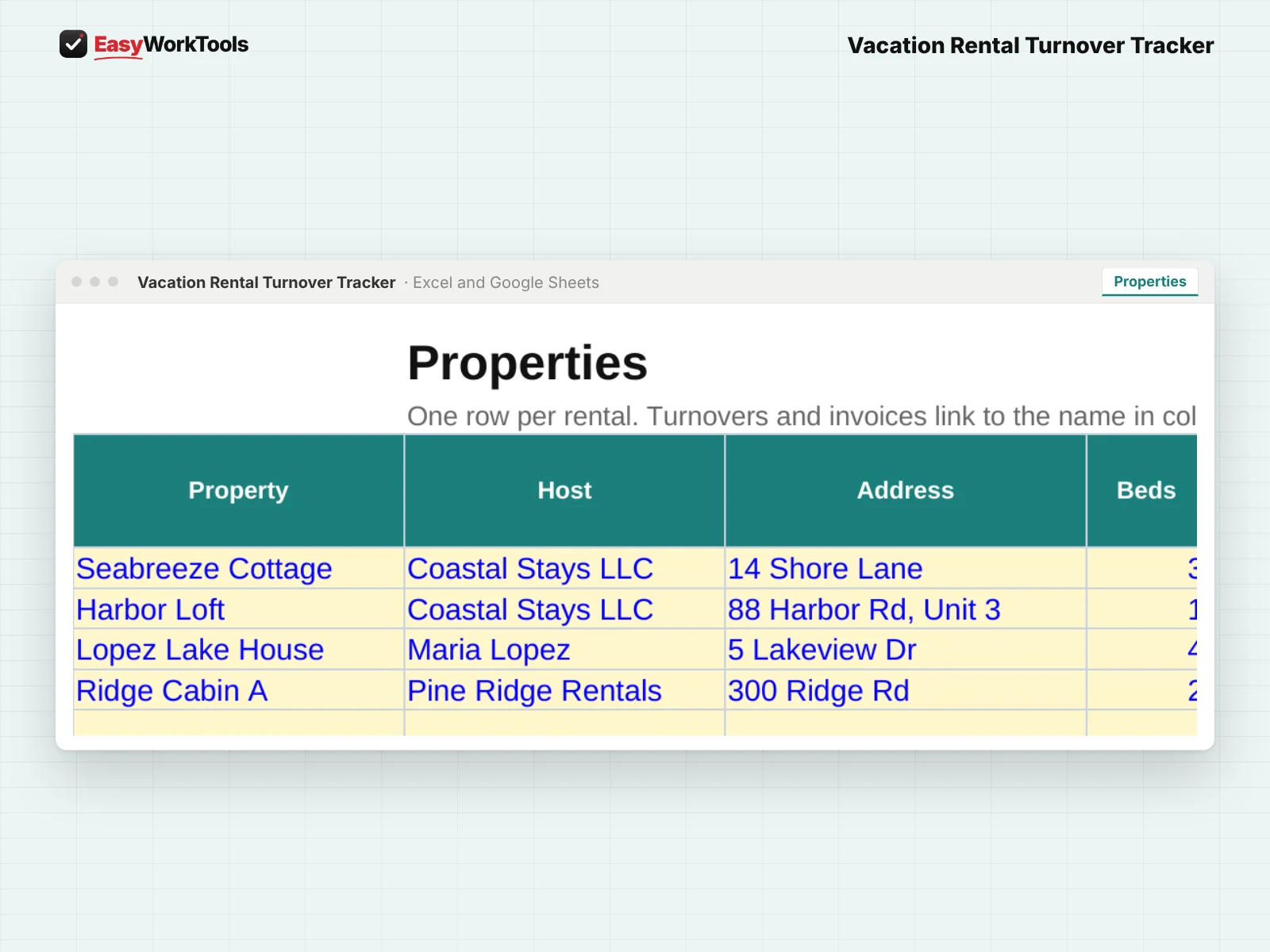
- Open Properties. One row per rental: host, address, price per turnover, usual hours, restock yes or no, entry notes and linen sets.
3Log each turnover

- Open Turnovers. Add the date, property, checkout time and the next check-in if it's the same day. Set Status to Booked.
- After the clean, set Status to Done and add the real hours. Restock is figured for you.
- Found damage or something missing? Set Damage to Yes and describe it.
4Invoice each host
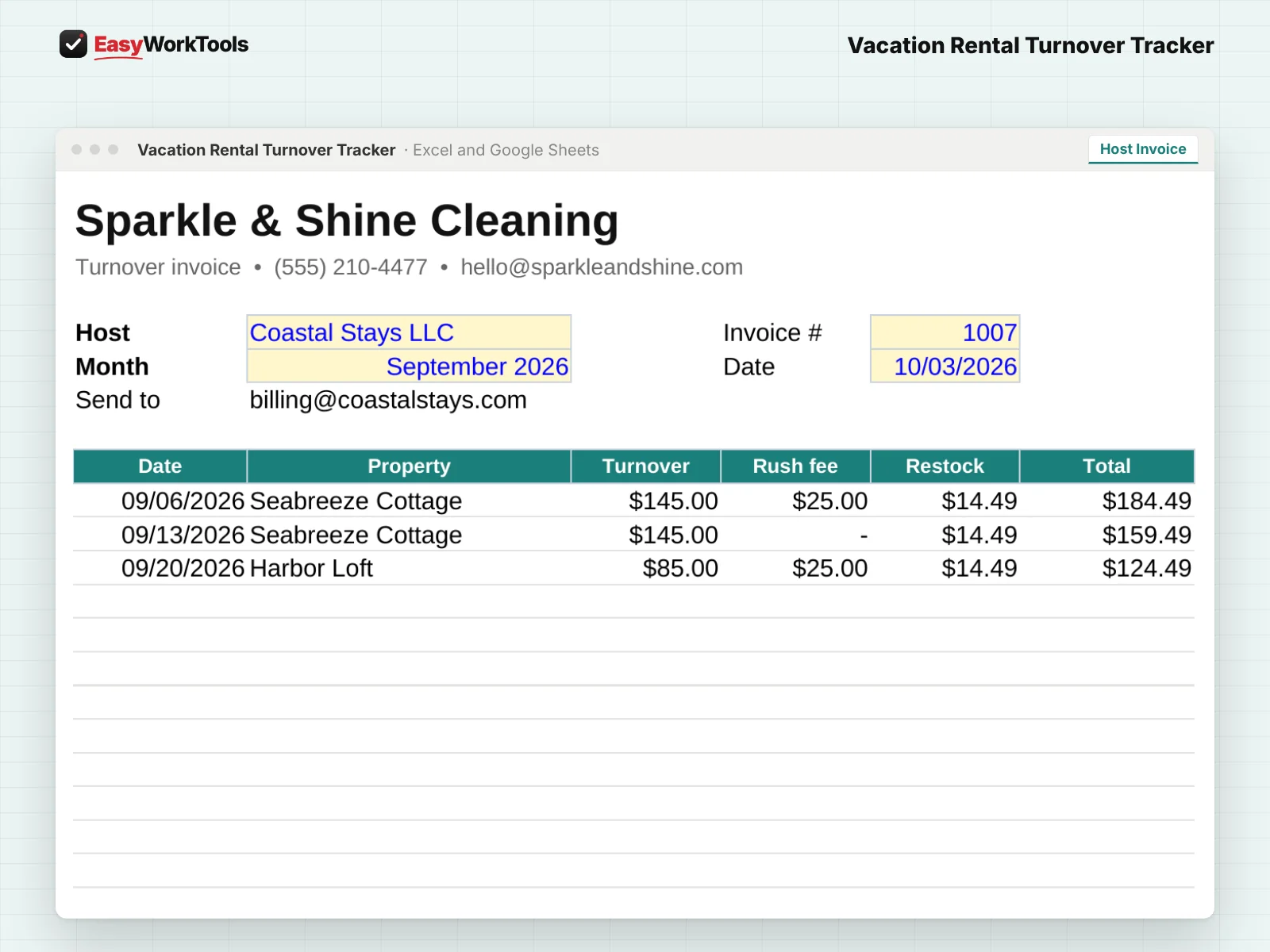
- Open Host Invoice, pick the host and month, and print it or save it as a PDF.
What the messages mean
The tool watches your numbers and tells you in plain words when something needs a look. Here's every message you might see.
What to do: Pick it from the list.
What to do: Fix the checkout or check-in time.
What to do: Plan extra hands or confirm early checkout.
What to do: Add what you found.
What to do: Type an amount, or leave it blank to use the usual.
Using Google Sheets or your phone
- To use Google Sheets, upload the file to Google Drive, then right-click it and choose Open with, then Google Sheets.
- Dropdowns, colors, and every calculation work the same in Google Sheets.
- On a phone, the Google Sheets and Excel apps work for quick changes. For setup and printing, a computer is easier.
- Want to start fresh? Type over the yellow example cells. Don't delete rows, since other tabs may be reading them.
Ready when you are
That's the whole thing, nothing held back. See pricing and screenshots for this tool, or compare every house cleaning tool side by side.
Common questions
What counts as same-day?
When the next guest checks in the same day the last one leaves. The window and rush fee are figured for you.
Can I skip restock for some properties?
Yes. Set Restock to No on that property.
Quick reference from the Start Here tab
Welcome
Short-term rental cleaning runs on checkout and check-in times, not a weekly schedule. This tracker keeps every property and every turnover in one place, flags same-day turnovers, adds restock and rush fees, notes damage for the host, and builds each host's invoice for the month.
Setup (About 15 Minutes, One Time)
Open 'Settings'. Add your hosts with their billing email, your cleaners, your rush fee and your restock markup.
Open 'Restock'. List what you restock each stay, like toilet paper, coffee and soap, with what each costs you and how many go in per turnover.
Open 'Properties'. Add each rental once: host, address, price per turnover, the hours a turnover usually takes, entry notes and linen sets.
Every Turnover (About 1 Minute)
Open 'Turnovers'. Add the date, property, guest checkout time and the next check-in time if there is one that day. Set Status to Booked.
After the clean, set Status to Done and add the real hours. Restock is figured for you. Change it if you used more or less.
Found damage or something missing? Set Damage to Yes and describe it. Hosts need this fast for guest claims.
Check the 'Dashboard' each morning: the next 7 days of turnovers, same-day turnovers, linens needed and open damage reports.
Billing Hosts
Open 'Host Invoice', pick a host and a month. Every finished turnover for that host is listed with rush and restock charges. Print it or save it as a PDF.
Handy Tips
A same-day turnover is when the next guest checks in the same day the last one leaves. The window between checkout and check-in is shown, and the rush fee is added.
Real hours tell you which properties are priced too low. The Dashboard compares them with each property's usual hours.
Using Google Sheets? Upload this file to Google Drive and open it with Google Sheets. Everything works the same.
Your License
This file is licensed to one business, including everyone who works there. Please don't share, resell or post it online.
© 2026 EasyWorkTools. All rights reserved. easyworktools.com
Every tab
This file has 7 tabs, in this order:
- Start Here
- Dashboard
- Properties
- Host Invoice
- Turnovers
- Settings
- Restock