Before you start
- Your download is a zip with two files. Double-click it to open it. Start with the one marked with examples to see how everything works, then use the blank one for your business.
- Open the file in Microsoft Excel. Using Google Sheets? Upload it to Google Drive, then open it with Google Sheets.
- Start on the Start Here tab. It has the same steps, right inside the file.
- The sample data is there so you can see how everything works. Type over it with your own when you're ready.
Here's how to enter your products once, then mix bottles and check supply costs whenever you need them.
1Enter your products (one time, about 10 minutes)
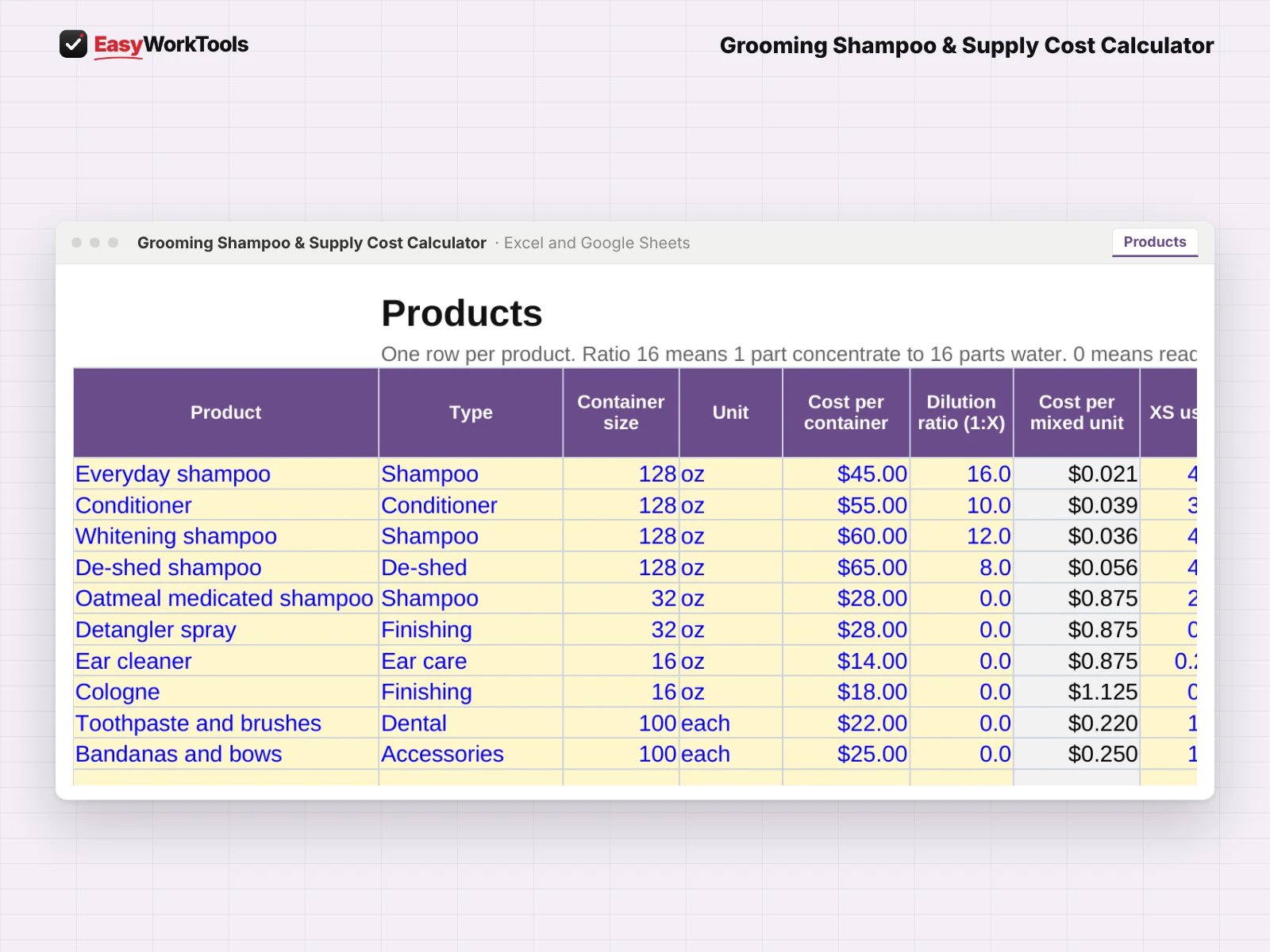
- Open Products. For each product enter the container size, unit, what you pay and the dilution ratio. Type just the X in 1:X, like 16.
- Enter how much mixed product each size uses, from XS to XL and cats, and what share of your grooms use it.
- Add how many containers you have and when to reorder.
2Mix a bottle

- Open Dilution. Pick a product and a bottle size.
- It shows exactly how much concentrate and water goes in, plus a quick mix chart for common bottle sizes. Add water first, then concentrate.
3See your cost per groom
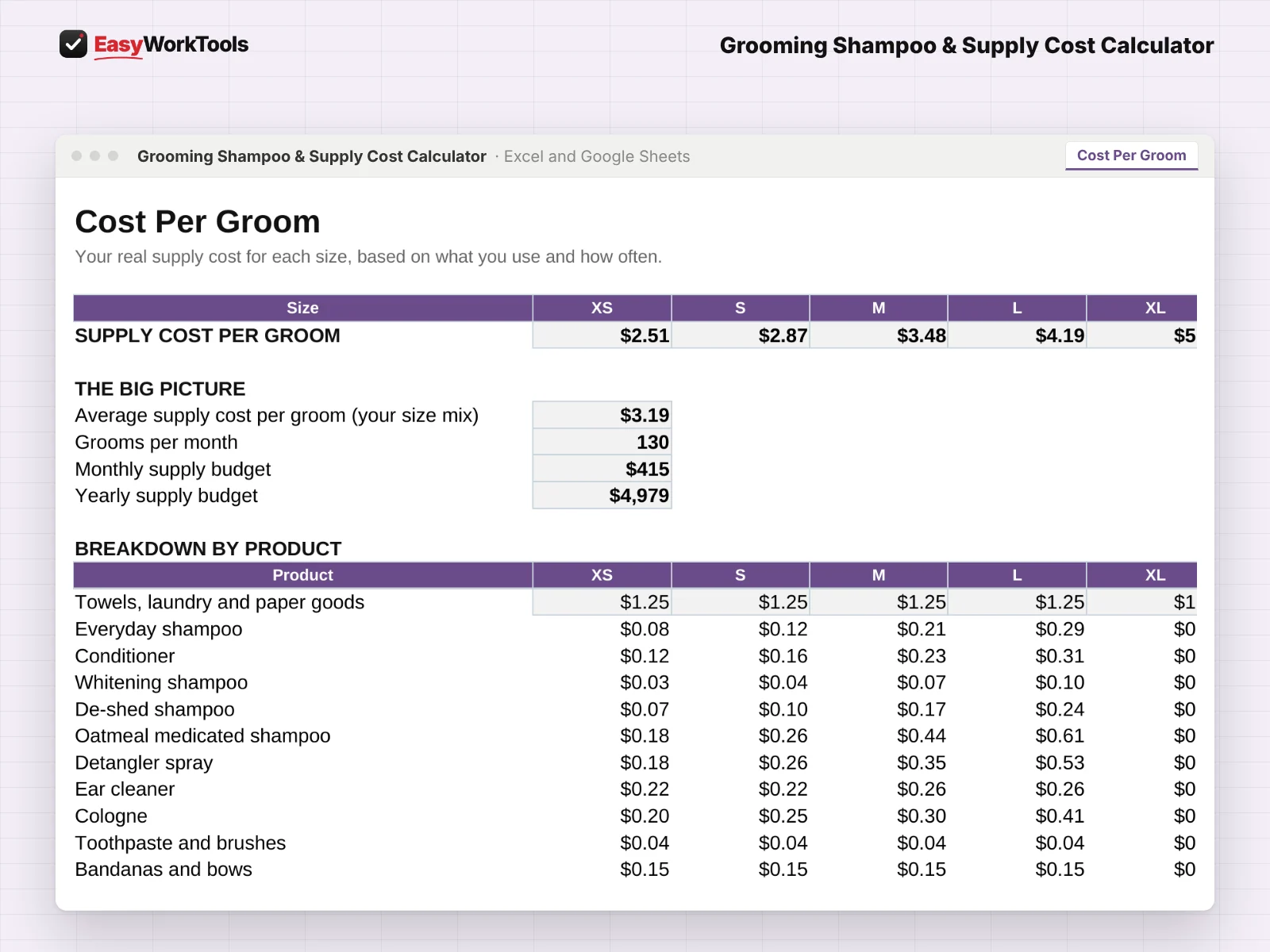
- Open Cost Per Groom. The top row shows your supply cost for each size.
- Below it: your average cost, monthly and yearly supply budget, and a breakdown by product.
- Copy the per-size costs into the Pet Grooming Pricing & Profit Calculator so every price covers them.
4Reorder before you run out
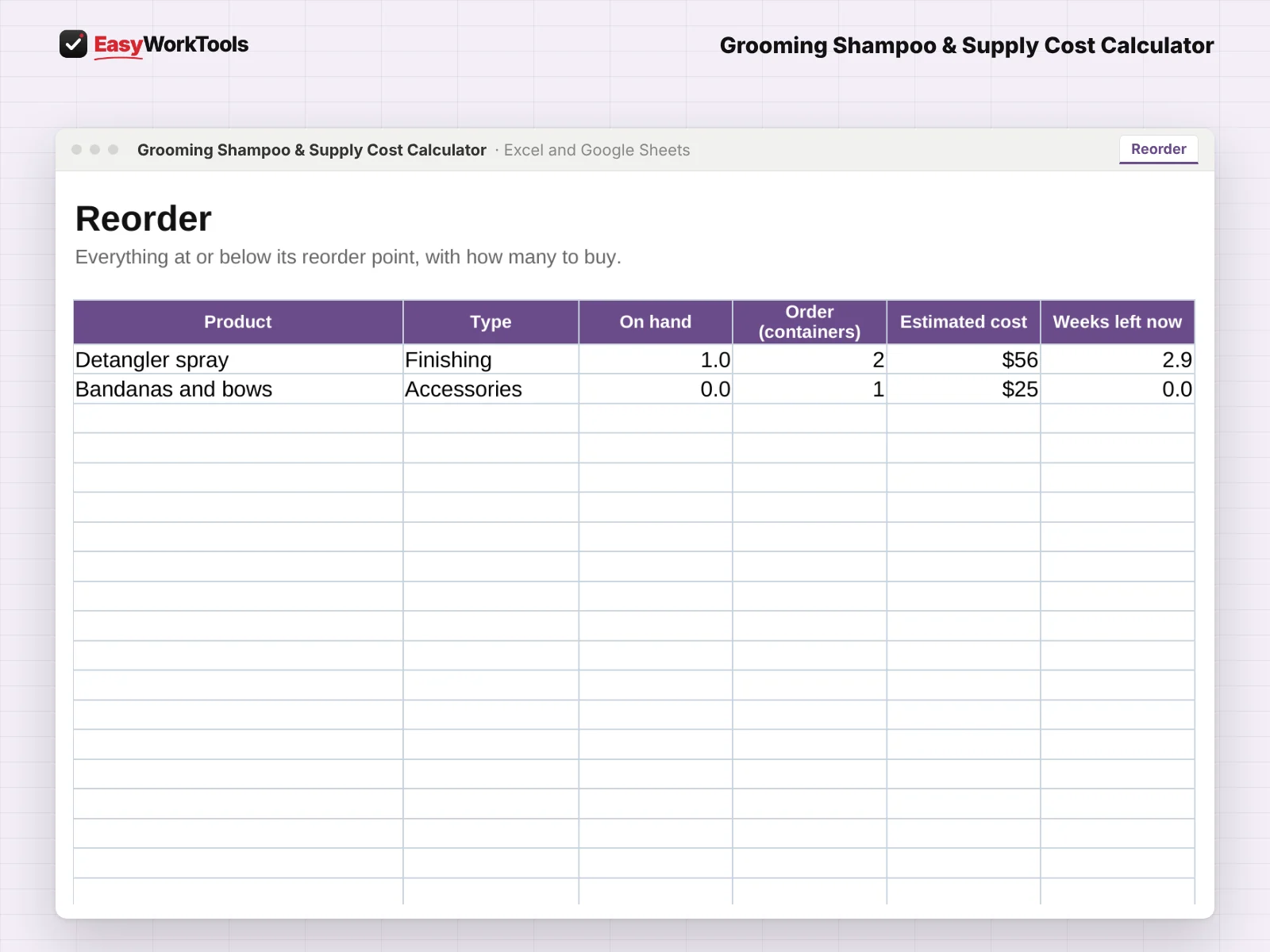
- Open Reorder. Everything at or below its reorder point is listed with how many to buy.
What the messages mean
The tool watches your numbers and tells you in plain words when something needs a look. Here's every message you might see.
What to do: Enter the container size on Products.
What to do: Type just 16.
What to do: Order more. The Reorder tab shows how many.
What to do: Plan your next order.
Using Google Sheets or your phone
- To use Google Sheets, upload the file to Google Drive, then right-click it and choose Open with, then Google Sheets.
- Dropdowns, colors, and every calculation work the same in Google Sheets.
- On a phone, the Google Sheets and Excel apps work for quick changes. For setup and printing, a computer is easier.
- Want to start fresh? Type over the yellow example cells. Don't delete rows, since other tabs may be reading them.
Ready when you are
Everything above comes with our shampoo cost calculator for $9, updates included. Only need a quick answer today? Try the free concentrate and water check. Or get it as part of the full grooming toolkit.
Common questions
What about ready-to-use products?
Leave the ratio blank and it's treated as ready to use.
Is this safety advice?
No. Always follow each product's label for dilution and handling.
Quick reference from the Start Here tab
Welcome
Concentrated shampoo is cheap per groom, if you dilute it right. This calculator mixes every bottle to the correct ratio, shows what your supplies really cost for each size of dog, and tells you what to reorder before you run out.
Setup (About 15 Minutes, One Time)
Open 'Settings'. Enter your grooms per week, your size mix and your towel and laundry cost per groom.
Open 'Products'. Add each product: container size, what you paid, and the dilution ratio from the label. Ready-to-use products get a ratio of 0.
For each product, enter how many ounces of mixed product you use per groom for each size, and what share of grooms use it.
Enter how many containers you have on hand and when you want to reorder.
Every Day
Mixing a bottle? Open 'Dilution', pick the product and bottle size. It tells you exactly how much concentrate and water.
Check 'Reorder' once a week. Anything at or below your reorder point shows up with how many to buy.
What It Tells You
'Cost Per Groom' shows your real supply cost for each size of dog, your average using your size mix, and your monthly supply budget.
Use those numbers in the Pet Grooming Pricing & Profit Calculator so every price covers your supplies.
Handy Tips
A ratio of 1:16 means 1 part concentrate to 16 parts water. Enter 16.
Use the same unit everywhere. The examples use fluid ounces. Countable items like bandanas use each.
Not sure how much you use? Fill a bottle, groom five dogs of one size, and see how much is left.
Using Google Sheets? Upload this file to Google Drive and open it with Google Sheets. Everything works the same.
Safety Note
Always follow product labels for dilution and use. Some medicated and flea products must not be diluted or mixed. Keep products labeled once they're mixed.
Your License
This file is licensed to one business, including everyone who works there. Please don't share, resell or post it online.
© 2026 EasyWorkTools. All rights reserved. easyworktools.com
Every tab
This file has 6 tabs, in this order:
- Start Here
- Dilution
- Cost Per Groom
- Reorder
- Products
- Settings