Detailing Client & Vehicle Tracker Dashboard tab in Excel and Google Sheets. The Dashboard shows vehicles due for a visit, coating warranties ending and jobs not paid yet.
The Dashboard shows vehicles due for a visit, coating warranties ending and jobs not paid yet.
Detailing Client & Vehicle Tracker Vehicle Card tab in Excel and Google Sheets. A Vehicle Card with paint protection, notes, coating dates and the last 5 jobs.
A Vehicle Card with paint protection, notes, coating dates and the last 5 jobs.
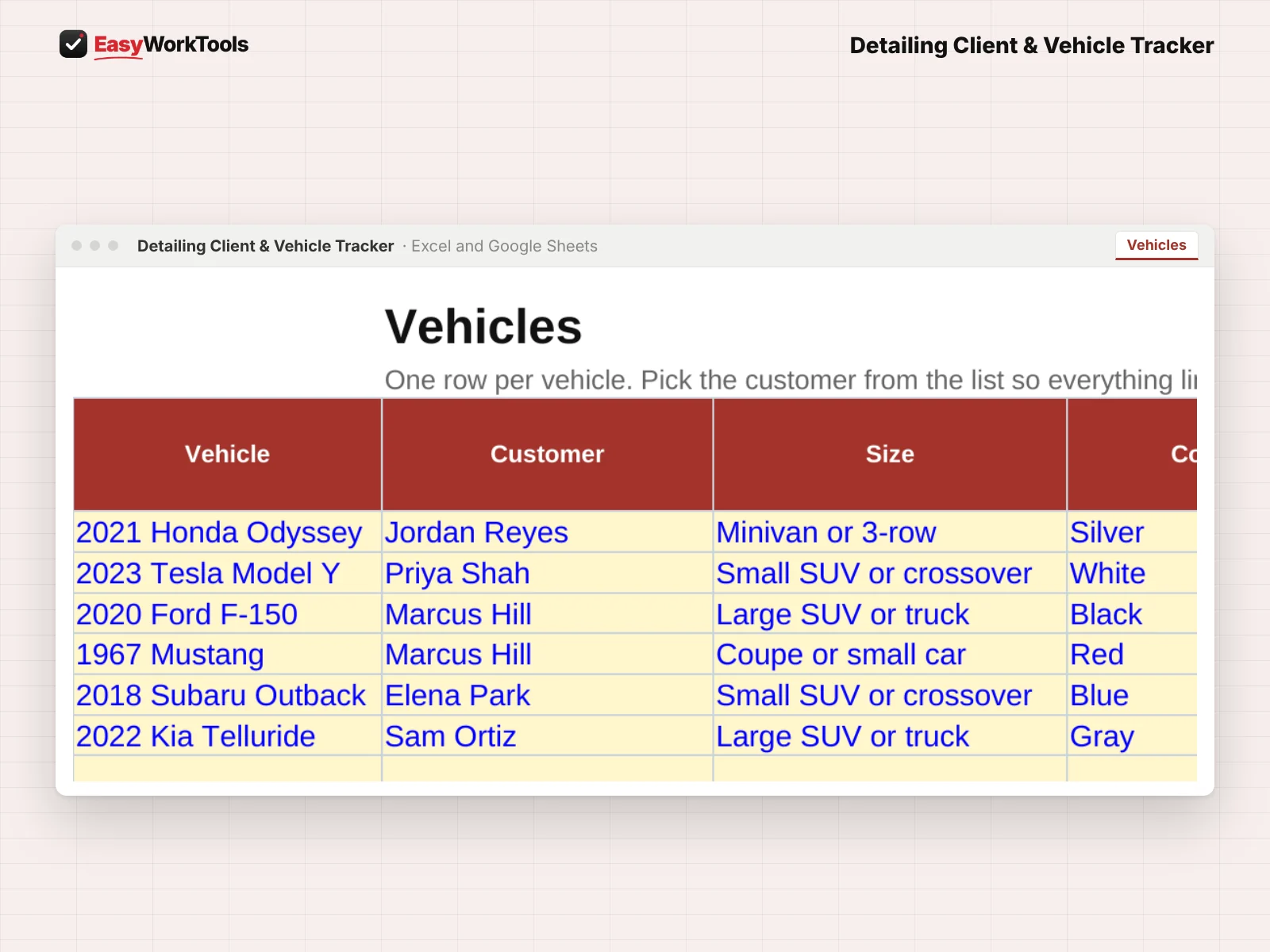
Detailing Client & Vehicle Tracker Vehicles tab in Excel and Google Sheets. Every vehicle in its own record, linked to its customer, with maintenance intervals and coating dates.
Every vehicle in its own record, linked to its customer, with maintenance intervals and coating dates.
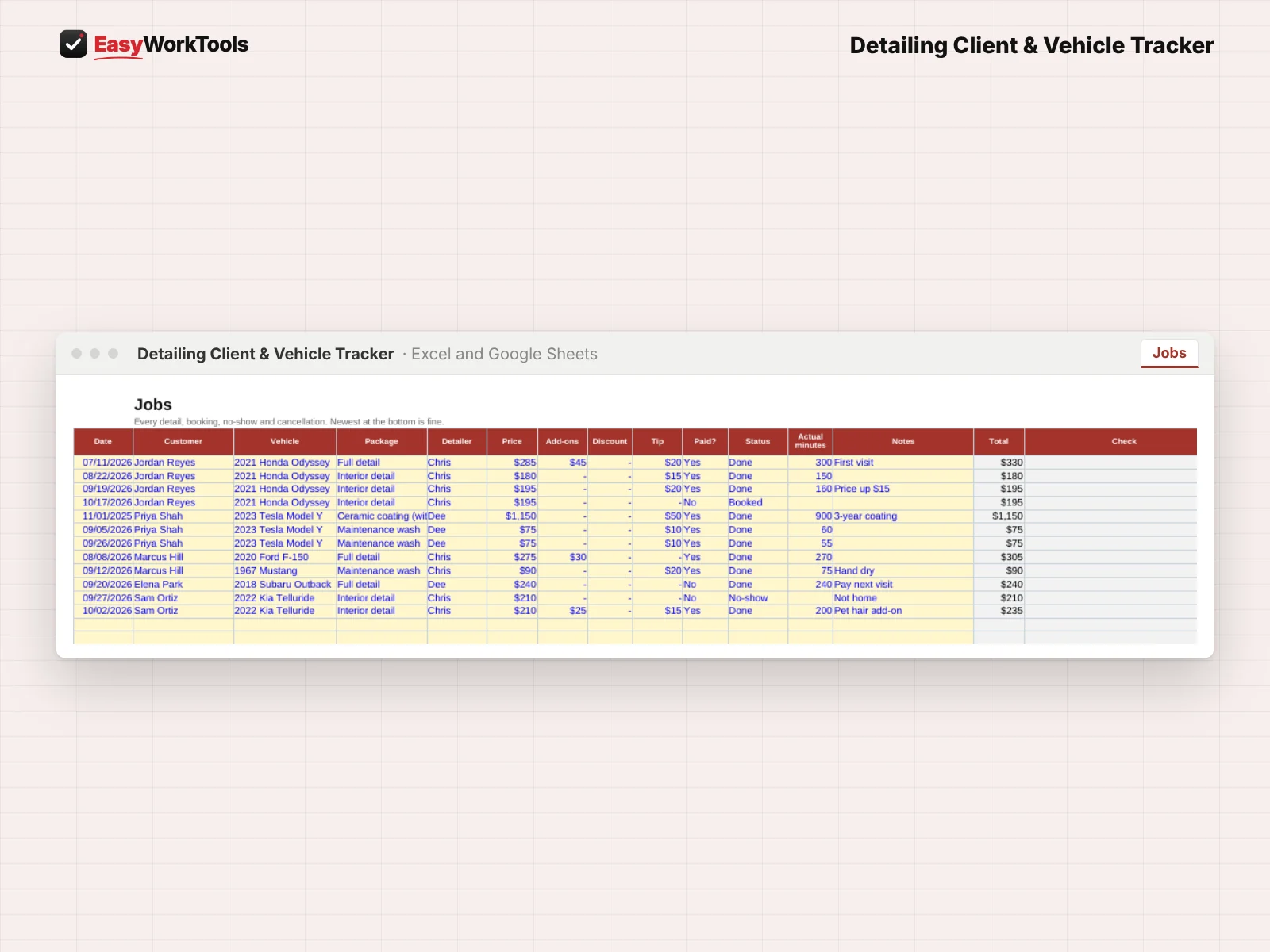
Detailing Client & Vehicle Tracker Jobs tab in Excel and Google Sheets. The job log for every detail, booking, no-show and cancellation.
The job log for every detail, booking, no-show and cancellation.

Detailing Client & Vehicle Tracker

One customer, three vehicles, three different needs. Our detailing client and vehicle tracker keeps every customer, car and job straight, with coating reminders.

$14
Buy Now · $14

One payment. No subscription.

Secure checkout · Instant download

  • Instant download · Version 1.1, updated Oct 3, 2026
  • Microsoft Excel and Google Sheets
  • Example and blank copies included
  • Formulas locked against accidents
  • Free Lifetime Updates
  • See how it works before you buy

Inside

Start HereDashboardVehicle CardCustomersVehiclesJobsSettings

Our promise: if something doesn't work as described, tell us within 30 days. We'll fix it, or refund you. Refund policy

What this solves

A coated Tesla is due for its maintenance wash, a work truck is six weeks overdue, and a customer still hasn't paid for last month's detail.

Without the tool"They'll call when they need me."

Your numbers, with the Client & Vehicle Tracker

Overdue1
Coatings ending1
Not paid$240

Book the next visit before they find someone else.

Example numbers. Yours come from your own rates and costs.

One customer can have a family minivan, a work truck and a weekend classic, each with its own needs. This tracker keeps customers and vehicles as separate records, linked together, so reminders and history stay right.

Nothing hidden here. You can read how reminders and coatings work right now, tab by tab. Pair it with our detailing quote calculator and both sides of the job are covered.

What the Detailing Client & Vehicle Tracker does

  • Customers and vehicles kept separately, as many vehicles per customer as you need
  • Job history with add-ons, discounts, tips, no-shows and actual minutes
  • Maintenance wash reminders by vehicle
  • Coating install and warranty dates with warnings before they end
  • Price-change tracking for every vehicle
  • Daily Dashboard: who's due, coatings ending, jobs not paid and frequent no-shows
  • Printable Vehicle Card with notes, paint protection and recent jobs

What's inside

7 tabs: Start Here, Dashboard, Vehicle Card, Customers, Vehicles, Jobs, Settings.

Who it's for

Detailers with repeat customers, maintenance plans and coated cars to look after.

What you get

Two spreadsheet files (.xlsx): one filled with examples so you can see exactly how it works, and a blank copy ready for your business. For Microsoft Excel and Google Sheets. No macros, no subscription.

The formulas are locked, so a stray keystroke can't break them. You only type in the yellow cells.

What you need to use it

  • Microsoft Excel 2010 or newer, on Windows or Mac, including Microsoft 365
  • Or Google Sheets in any web browser, free with a Google account
  • A laptop or desktop works best for setup. Phones and tablets are fine for checking numbers and quick entries.
  • No macros, add-ins or internet connection needed once it's downloaded. Apple Numbers isn't supported.

Questions

Can one customer have several vehicles?

Yes. Each vehicle gets its own row, linked to the customer.

Does it remind me about coatings?

Yes. Record the install date and warranty end, and the Dashboard warns you before it ends.

Is there a blank version?

Yes. Every download has two files: one filled with examples so you can see how everything works, and a blank copy ready for your own business. Your rates and settings come filled in as a starting point, so change them to match yours.

Can I change the formulas?

The gray formula cells are locked so they can't be erased by accident. If you really want to change one, open Review in Excel and choose Unprotect Sheet. There's no password.

Does it work in Google Sheets?

Yes. Upload the file to Google Drive and open it with Google Sheets. The math works the same. Locks don't carry over, so just type in the yellow cells.

How do Free Lifetime Updates work?

Whenever we release a new version, you can download it free from your account, forever. We'll email you when there's something new.

Always getting better

Every EasyWorkTools spreadsheet is complete, tested and ready to run your business the day you buy it. Then it keeps getting better. We're perfectionists, so we're always sharpening our tools, and some of our best upgrades start with a customer saying "it would be great if..."

Tell us what would make a tool even better for your business, or what tool you wish existed. If it helps you, it probably helps others too.

  1. You tell us what's slowing you down.
  2. We build and test it the same way as every release.
  3. You get it free in the next update, with an email when it's ready.

  • Excel + Google SheetsWorks in both, no macros
  • Instant downloadStart using it in minutes
  • Free Lifetime UpdatesEvery new version, free
  • Locked formulasExample and blank copies