














Generic equipment logs don't know about pump oil, unloaders, nozzles, or the slow pressure drop that comes before a failure. This one is built around pressure washing rigs.
Nothing hidden here. You can read how PSI tracking works right now, tab by tab. Pair it with our house wash quote calculator and both sides of the job are covered.
What the Pressure Washer Equipment Log does
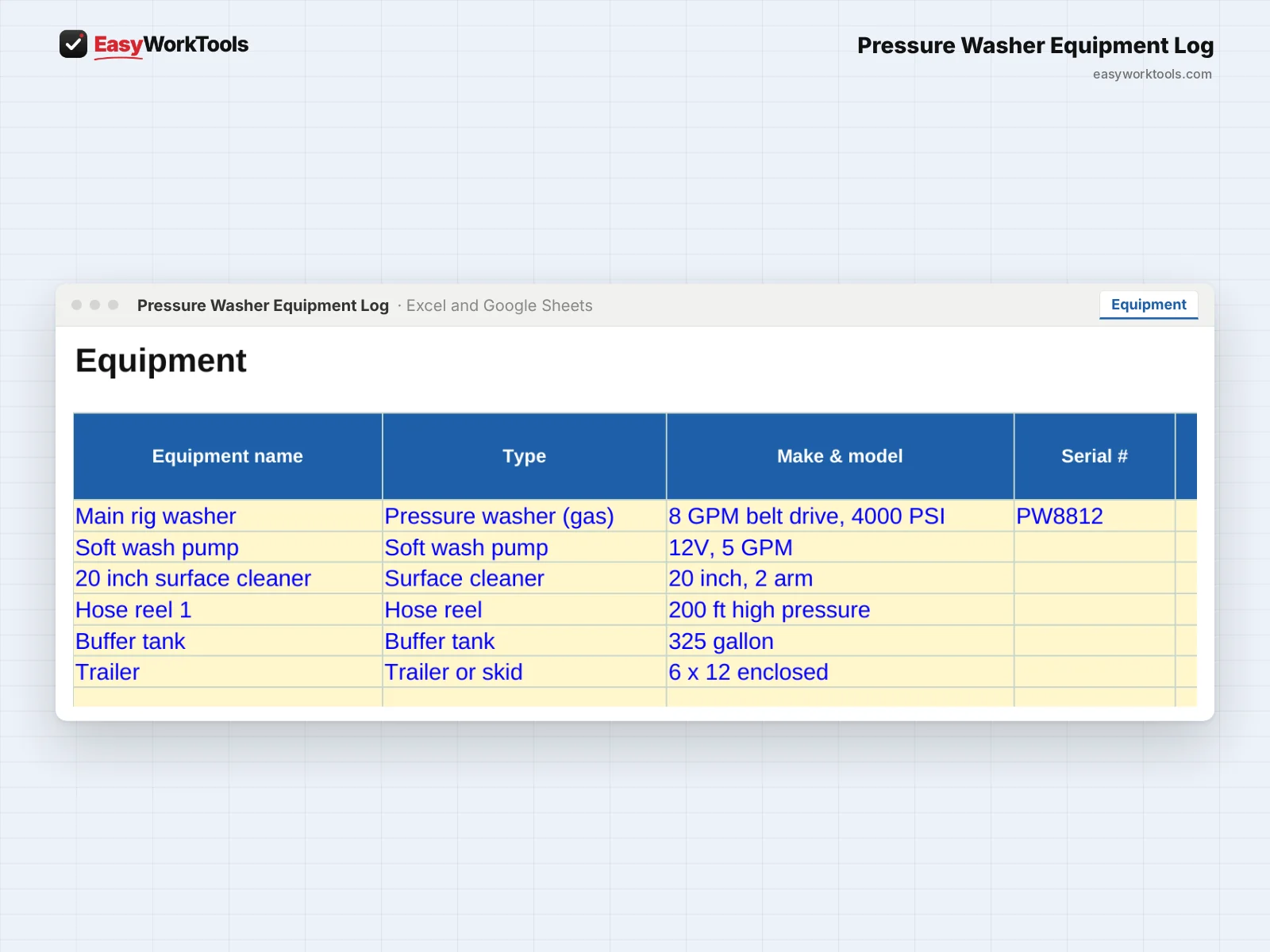
- Every machine: pressure washers, surface cleaners, soft wash pumps, hose reels, trailers, and trucks
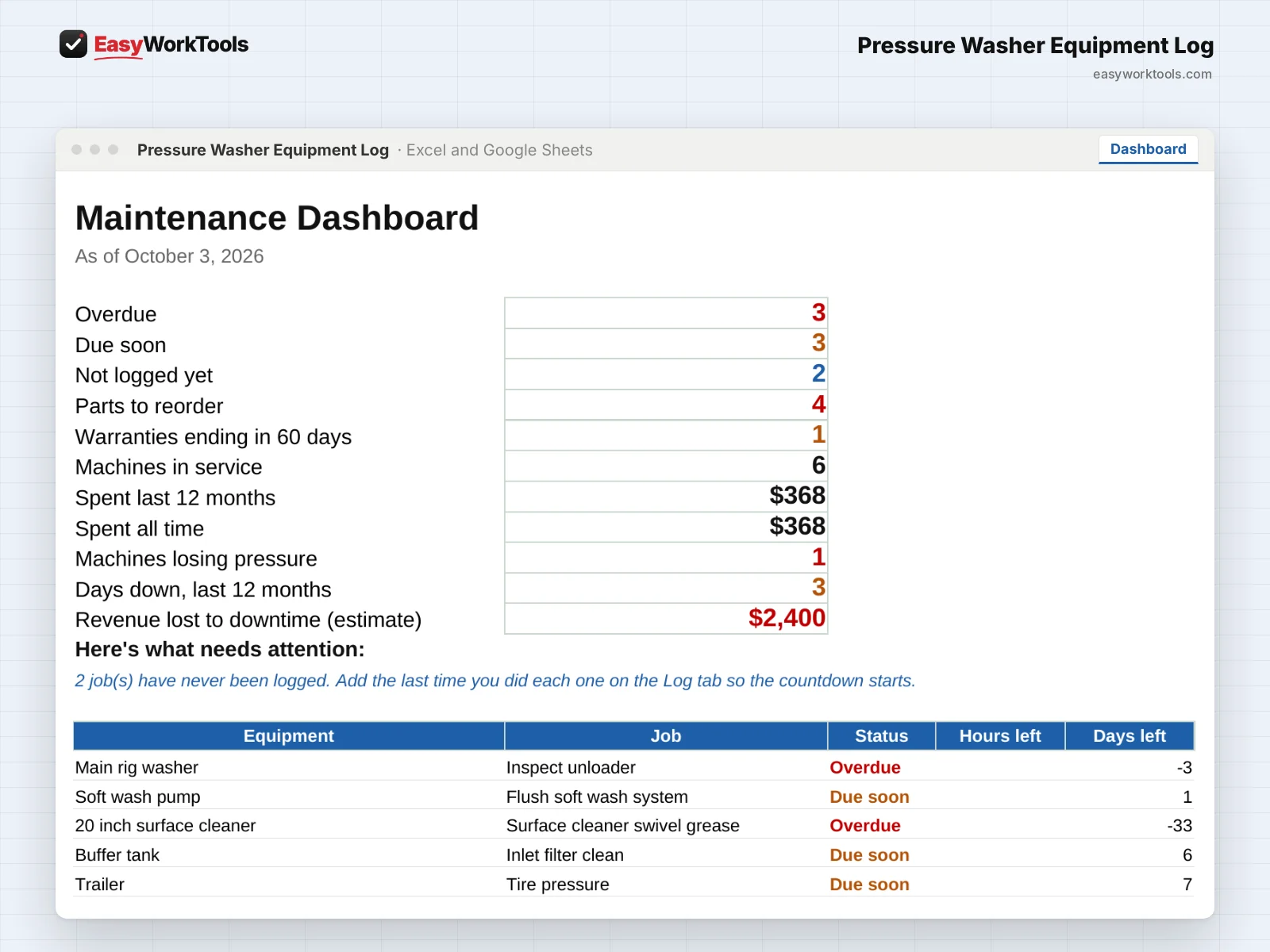
- Due-soon and overdue alerts by hours, by days, or both
- PSI tracking that warns you when a machine drops below its rated pressure
- Downtime log with days out of service and lost revenue
- Cost per machine and a repair-or-replace check
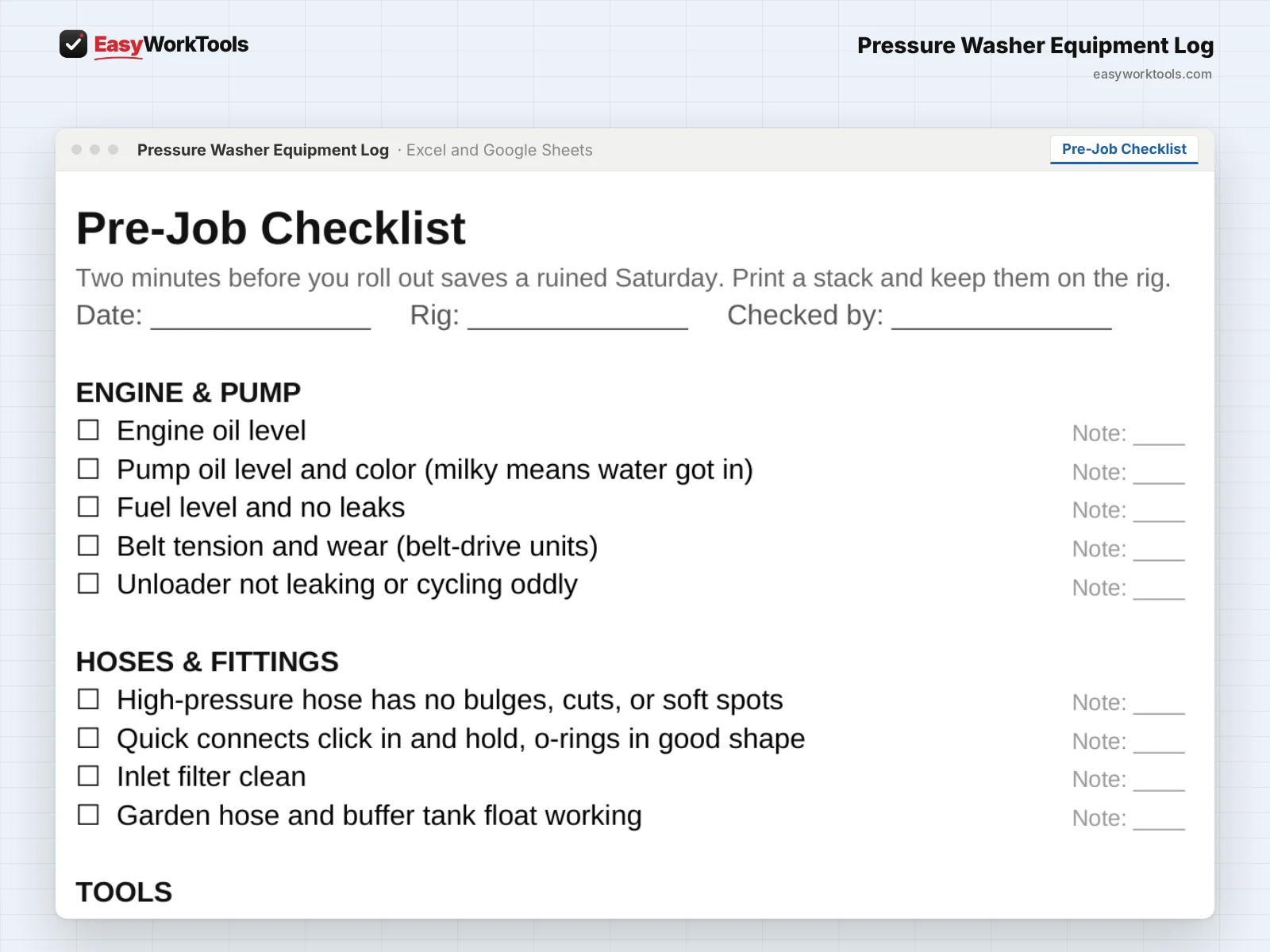
- Pre-Job Checklist you can print for the truck
- Starter Intervals tab with common service schedules to get you going
- Parts tab with low-stock alerts and warranty reminders
What's inside
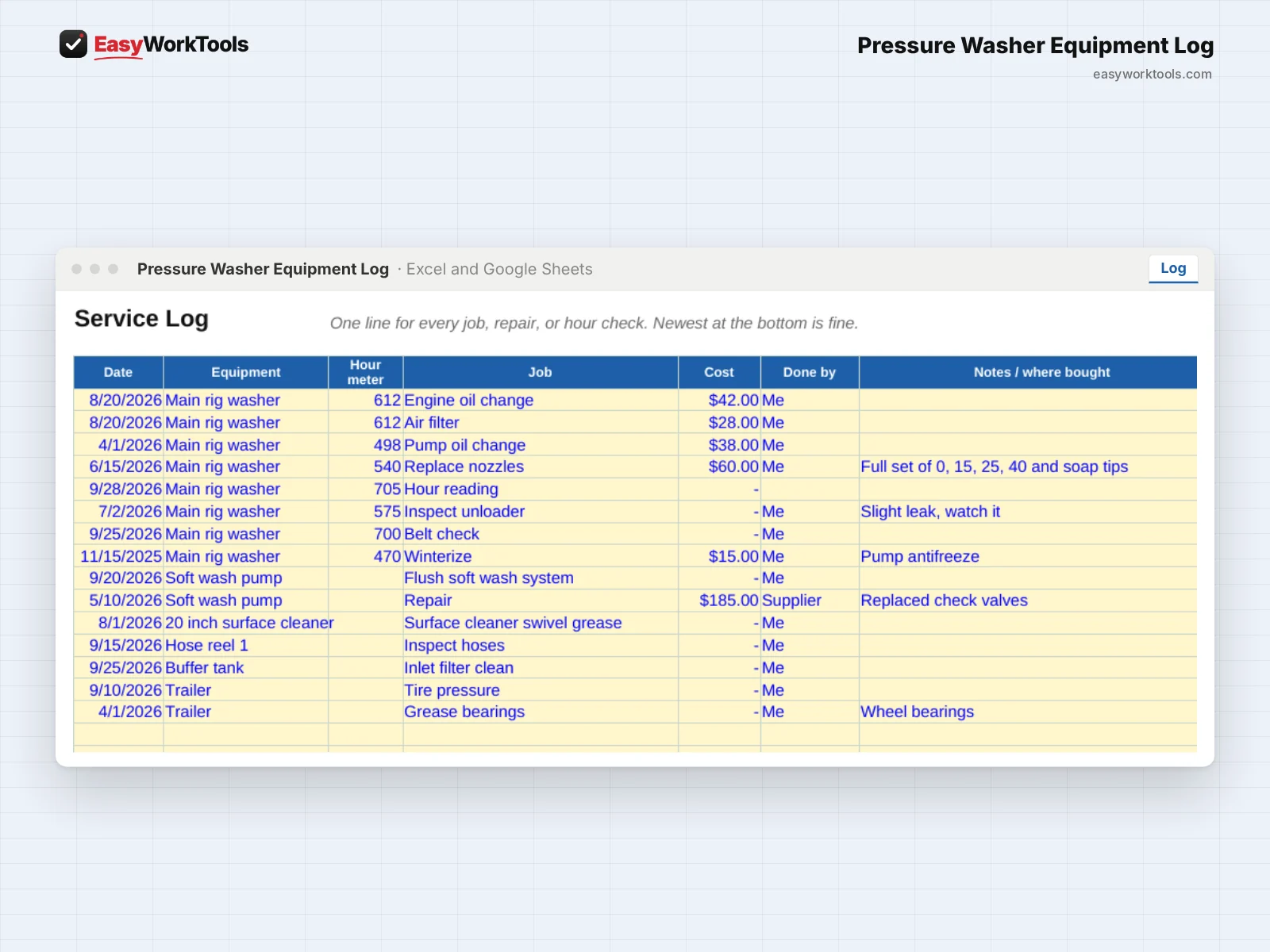
9 tabs: Start Here, Dashboard, Equipment, Maintenance Plan, Log, Parts, Pre-Job Checklist, Starter Intervals, Settings.
Who it's for
Anyone whose income depends on their rig: one machine and a surface cleaner, or several trailers across crews.
What you get
Two spreadsheet files (.xlsx): one filled with examples so you can see exactly how it works, and a blank copy ready for your business. For Microsoft Excel and Google Sheets. No macros, no subscription.
The formulas are locked, so a stray keystroke can't break them. You only type in the yellow cells.
What you need to use it
- Microsoft Excel 2010 or newer, on Windows or Mac, including Microsoft 365
- Or Google Sheets in any web browser, free with a Google account
- A laptop or desktop works best for setup. Phones and tablets are fine for checking numbers and quick entries.
- No macros, add-ins or internet connection needed once it's downloaded. Apple Numbers isn't supported.
Questions
What if my machine doesn't have an hour meter?
Set the job by days instead. Hours are optional.
Do I have to log PSI?
No. It's optional, but it's the earliest warning you'll get that a pump is going.
Is there a blank version?
Yes. Every download has two files: one filled with examples so you can see how everything works, and a blank copy ready for your own business. Your rates and settings come filled in as a starting point, so change them to match yours.
Can I change the formulas?
The gray formula cells are locked so they can't be erased by accident. If you really want to change one, open Review in Excel and choose Unprotect Sheet. There's no password.
Does it work in Google Sheets?
Yes. Upload the file to Google Drive and open it with Google Sheets. The math works the same. Locks don't carry over, so just type in the yellow cells.
How do free updates work?
Whenever we release a new version while EasyWorkTools is running, you can download it free from your account. We'll email you when there's something new. The file you download is yours to keep, and it keeps working even if we ever stop.